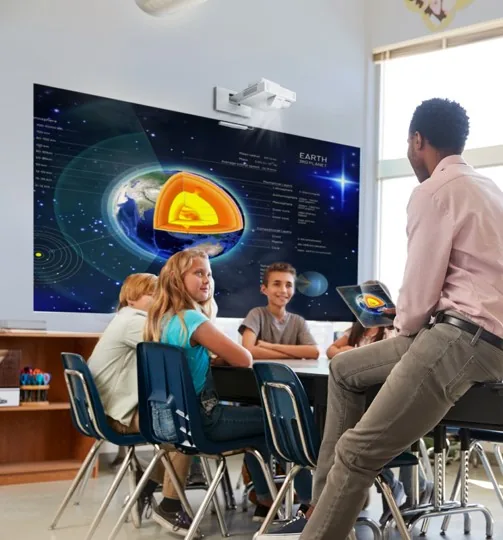
Most of the conversation about school AV in the last few years has been about interactive panels, and for good reason. In a standard classroom, a quality interactive panel outperforms a projector on almost every measure: brightness in ambient light, touch capability, reliability, and long-term running cost. But panels have a hard limit. They top out at around 86 inches, and that is simply not enough for a school hall.
A 400-seat school hall needs an image that fills a screen three or four metres wide so that students at the back can actually see what is being presented. No panel does that. Projectors do. This article is about getting that right.
When a projector beats an interactive panel
The short answer is: whenever the space is too large for a panel to be seen clearly from the back row.
As a rough rule, a display should be at least one eighth of the viewing distance. So if the back row of your hall is 16 metres from the front, you need a screen at least two metres wide (roughly 90 to 100 inches diagonal) to be genuinely readable. At that size, you are in projector territory.
The spaces where projectors remain the right choice in NZ schools are:
- Multipurpose halls and gymnasiums used for assemblies, performances, and events
- School auditoriums and theatres where image size and ambient light control matter
- Outdoor screening setups for school events (typically portable projector and screen hire)
- Large group teaching spaces such as lecture-style rooms or combined year-level classes
If your space falls outside these categories, and you are simply asking whether to replace an ageing classroom projector, the answer is more nuanced. That question is addressed at the bottom of this article.
Laser vs lamp: why most schools should now be buying laser
Traditional projectors use a lamp bulb to generate light. Lamp projectors have been the standard for decades and there are still plenty in NZ schools. The problem is the lamp. It degrades over time, typically losing significant brightness after 2,000 to 3,000 hours of use, and needs replacing every few years at a cost of $300 to $600 per lamp. In a school hall that runs assemblies, events, and community hire regularly, those lamp hours accumulate quickly.
Laser projectors replace the lamp with a solid-state laser light source. The difference in practice:
- Lifespan: laser light sources are rated to 20,000 hours or more, compared to 2,000 to 5,000 hours for a lamp. In a typical school, that is 15 to 20 years of use before the light source degrades meaningfully.
- Maintenance: no lamp replacements, no filter cleaning in most models. You install it and largely forget it.
- Instant on/off: laser projectors reach full brightness immediately. Lamp projectors need a warm-up period and a cool-down cycle before you can move them.
- Colour stability: the image quality of a laser projector does not degrade over time the way a lamp does. The image you get in year ten looks the same as year one.
- Upfront cost: laser projectors cost more to purchase. A quality laser projector for a school hall starts at around $5,000 to $6,500 NZD. But when you factor in lamp replacements and the labour cost of maintaining a lamp projector over a decade, laser is almost always cheaper over the life of the equipment.
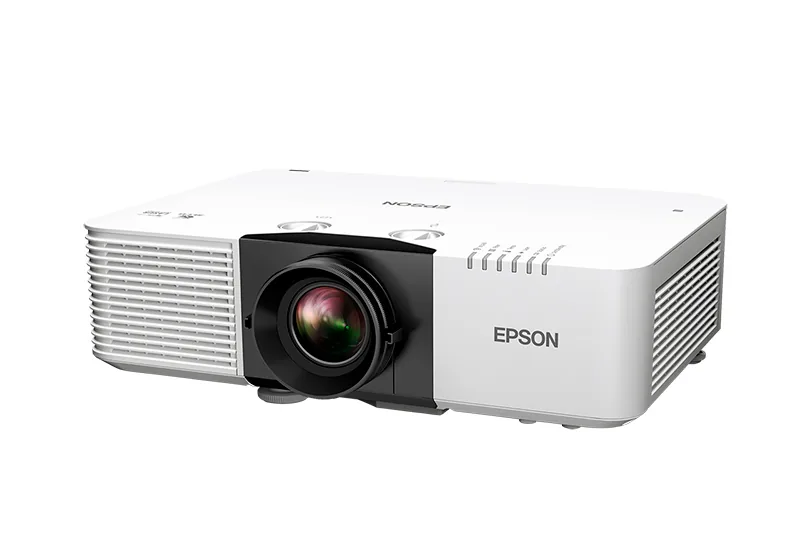
Edtex recommends laser projectors for all new school hall installations. The total cost of ownership argument is clear, and the reliability factor matters in environments where the projector needs to work every time without someone having to manage it.
David's take
I still get asked about lamp projectors regularly, usually because the purchase price is lower. My answer is always the same: work out the lamp replacement cost over ten years, add the call-out time when a lamp blows mid-assembly, and tell me the lamp projector is still cheaper. It never is. Buy laser.
Throw ratio explained simply
Throw ratio is the relationship between the distance the projector is from the screen and the width of the image it produces. A projector with a throw ratio of 1.5 placed 3 metres from the screen will produce an image 2 metres wide. Move it to 6 metres and the image doubles to 4 metres wide.
Why does this matter for NZ schools? Because your hall has a fixed ceiling height and a fixed room depth, and the projector needs to fit within both. If your ceiling is 4 metres high and you want to install the projector above the audience rather than behind them, you need a projector with a short enough throw ratio to produce a large enough image from that ceiling height.
The three categories to know:
- Standard throw (ratio 1.5 to 2.0): suited to halls where the projector can be mounted well back from the screen, typically ceiling-mounted at mid-hall or rear of hall. Most common for larger spaces.
- Short throw (ratio 0.4 to 1.0): useful when the projector must be closer to the screen due to room constraints. Common in smaller multipurpose spaces or where ceiling mounting near the front is the only option.
- Ultra short throw (ratio below 0.4): designed to sit immediately below the screen, projecting upward at an angle. More common in classrooms than halls due to image size limits.
Getting this right requires measuring the room. Edtex always does a site visit before specifying a projector for a hall installation to confirm the ceiling mount position, cable runs, and throw calculation. A projector that is the wrong throw ratio for the room either cannot fill the screen or cannot be mounted where you need it.
Screen options for school halls
The projector produces the image; the screen determines how well that image is seen. For school hall installations, the main options are:
Fixed-frame screen: a tensioned screen mounted permanently on the wall or flown from the ceiling grid. Produces the flattest, most consistent image. Suited to halls that are primarily used for AV presentations and do not need the screen stored away between uses. Usually the best image quality option.
Motorised retractable screen: rolls up into a housing when not in use, drops down at the press of a button or remote trigger. The right choice for multipurpose halls where the screen needs to be out of the way for sports, performances, or community hire. More expensive than a fixed frame but genuinely necessary in most NZ school halls where the space serves multiple functions.
Pull-down manual screen: a lower-cost version of the motorised screen, pulled down by hand. Practical for smaller spaces or budget-constrained projects. Can be awkward to operate if the screen is mounted high.
Screen gain is the other variable worth knowing. A standard white matte screen (gain 1.0) works well in a darkened hall. If your hall has windows and ambient light is an issue, a higher-gain screen reflects more light toward the audience and can compensate partially. For halls with significant ambient light, increasing the projector's lumen output is usually a more reliable solution than relying on screen gain alone.
What does a school hall projection setup cost in NZ?
Hall projection costs vary significantly and depend on several factors: the size of the space and the screen image required, whether sound and lighting integration is needed, the number and type of inputs (HDMI, wireless, microphone), and whether existing infrastructure such as a screen or ceiling mount is already in place. Edtex always conducts a site visit before specifying a hall system, as every space is different. Get in touch to discuss your hall's specific requirements.
What about classroom projectors?
If you have an ageing lamp projector and are looking to replace it, it is worth pausing before defaulting to another lamp model. The cost of lamp replacements, the warm-up time, the shadow effect, and the visibility challenges in brighter classrooms are all solved by moving to either a laser projector or an interactive panel.
A laser short-throw projector is a strong upgrade for classrooms where the projector experience is otherwise working well: instant-on, no ongoing lamp cost, and often available in interactive versions. An interactive panel takes things further with touch capability, built-in software, and wireless casting. Both are a meaningful step up from a lamp projector, and both deserve serious consideration before committing to another lamp-based solution.
If you are not sure which direction is right for your classrooms, the projector vs interactive panel article covers this in detail, and the panel comparison guide covers the brands side by side.