The classroom camera most NZ schools don't know about yet.
Qomo makes the most engaging document camera and classroom camera tools David has found in years of working in NZ schools. The WanderCam Pro is genuinely different - and it shows in how kaiako teach with it.
David has searched the market. Qomo is the one he recommends.
Talk to David about QomoQomo WanderCam Pro + QShare
The wireless document camera that changes how teachers teach.
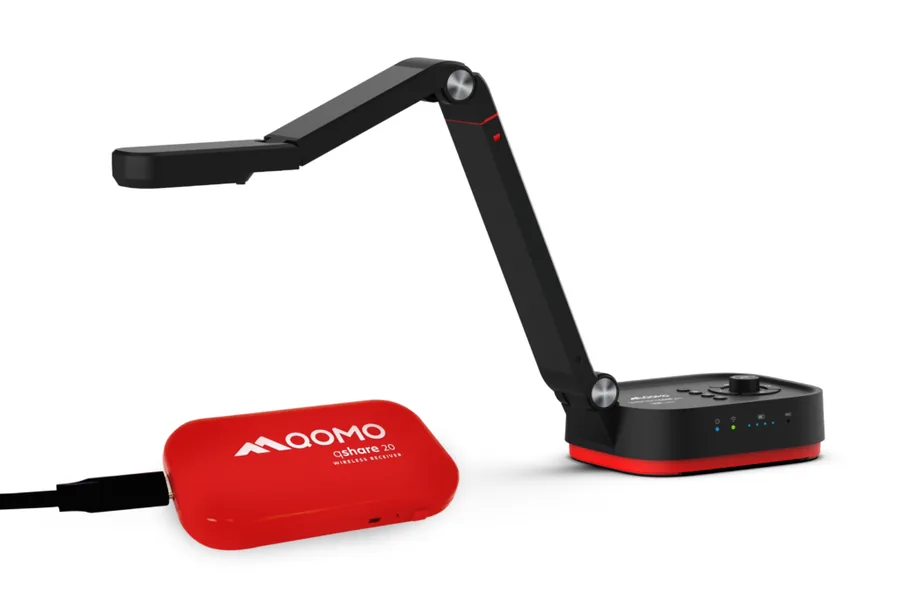
Most document cameras are tethered, clunky, and end up sitting in a cupboard. The WanderCam Pro is different. It's a wireless, portable document camera that connects directly to your interactive panel - no cable, no setup, no fuss. Place it anywhere, point it at anything, and the image appears instantly on the board.
The QShare 20 wireless receiver means the camera connects to the panel without touching it. Kaiako walk around the classroom, hold the camera over student work, and share it with the class in real time. It's one of the most effective teaching tools David has seen for making learning visible.
- Wireless connection via QShare 20 receiver - no cables needed
- High-resolution capture of documents, student work, 3D objects
- Foldable, portable - use it anywhere in the classroom
- Works with any interactive panel or display
- Annotation tools built in
- Freeze frame and image capture
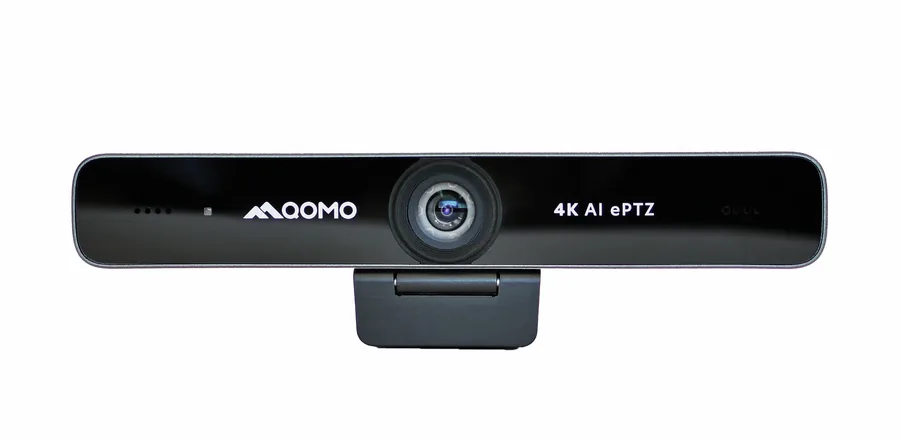
Qomo 4K AI ePTZ Conference Camera
4K AI tracking camera for hybrid learning and video conferencing.
The Qomo 4K AI ePTZ is a compact, powerful camera that uses AI to automatically track and frame speakers in a room. Mount it on top of your interactive panel and it handles video conferencing and hybrid learning without anyone needing to operate it manually.
4K resolution, electronic pan-tilt-zoom, and auto-framing make it the cleanest solution for schools doing Google Meet, Microsoft Teams, or any video-based teaching. Pairs perfectly with the Promethean ActivPanel 10 Premium's optional camera slot.
- 4K resolution for crystal-clear video
- AI auto-tracking follows the speaker automatically
- Electronic PTZ - no motorised parts to fail
- USB plug-and-play - works with any laptop or panel
- Compact form factor - mounts cleanly above any display
- Ideal for hybrid learning and Google Meet / Teams
Most schools are missing this piece.
Interactive panels changed how teachers present content. Document cameras changed how teachers share physical objects, student work, and real-world examples. The problem is most document cameras are fiddly, tethered, and quickly abandoned.
Qomo solves that. The WanderCam Pro is wireless, intuitive, and genuinely changes the dynamic in a classroom. When a kaiako can walk to a student's desk and instantly share their work on the board, something shifts in how the class engages.
David recommends Qomo because he's seen what happens in classrooms where teachers use it. It's not a gimmick. It's one of the most practical additions to a well-equipped classroom.
The best classroom technology is the technology teachers actually use. Qomo gets used.
Sharing student work
Walk to any student's desk, hold the WanderCam over their book or worksheet, and the whole class sees it instantly on the panel. Powerful for literacy and maths.
Science and practical subjects
Show exactly what's happening in a petri dish, a dissection, or a physical experiment - in real time, on the big screen, without crowding around a bench.
Demonstrating close detail
Art, technical drawing, handwriting modelling - anything where fine detail matters and the board alone doesn't get close enough.
Hybrid and video learning
The 4K ePTZ handles remote learners automatically. AI tracking means no one needs to operate the camera - it follows the teacher.
Want to see what Qomo can do in your classroom?
Edtex is NZ's dedicated school AV company. We make sure you get the right gear for your school, not ours - with personal support from David, every step of the way.