In the early days of classroom AV, having a panel that could ‘cast’ a device wirelessly felt like magic. Teachers could share their laptop screen with a tap and roam the room untethered. It was a huge step up from HDMI cables and static whiteboards.
But now? Casting is just one small part of what’s possible.
I’m seeing more and more kura - across primary, intermediate, and secondary - begin to shift away from casting as the default. Instead, they’re leveraging built-in tools like Google Slides, Microsoft OneDrive, and browser-based dashboards directly from the panel itself.
This move has big implications: less downtime, more flexibility, and fewer ‘Where’s my cord?’ moments.
Why Casting Isn’t Always Enough Anymore
Casting tools like Google Cast, AirPlay, Miracast, and others have been amazing for sharing student screens, modelling tasks on the fly and showing websites, slides and apps.
But casting has limits:
- It depends on the teacher device being connected, powered, and nearby
- It can lag, freeze, or drop (especially with older networks)
- It creates a single point of failure - if your laptop crashes, so does your lesson
And most importantly: it keeps the teacher as the tech ‘driver’ - always managing the source, the controls, and the flow.
What’s Changing in Primary Classrooms
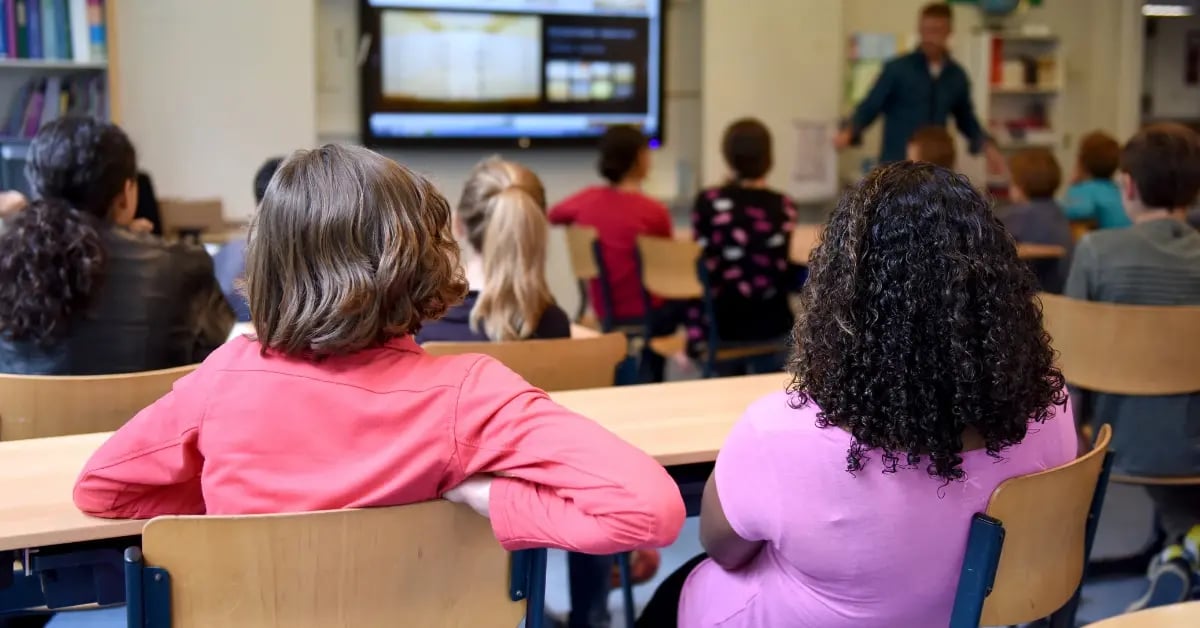
In primary schools, we’re seeing a big shift toward using the panel itself as a teaching tool - not just a mirror.
Teachers are:
- Opening Google Slides from the panel browser (no laptop needed)
- Running timers, videos, and links directly
- Using whiteboard apps for shared writing, maths, or brainstorming
Example: A Year 2 teacher sets up their daily programme in a shared Google Drive folder. Each morning, they log into the panel, open the day’s plan, and teach from there - no casting required.
Why it works:
- Less setup stress (no cords, no passwords, no projecting issues)
- Easier for relievers or job share staff to access and pick up
- Encourages shared planning + less reliance on one person’s laptop
What’s Happening in Intermediate & Middle Schools
I’m seeing intermediate teachers:
- Creating shared class folders in Google Drive or OneDrive
- Opening those folders directly from the panel browser
- Letting students present from their own shared files - without plugging in
- Running browser-based tools like Quizizz, Kahoot, Class Dojo, or Canva live on the panel
Example: A Year 7 class rotates between maths stations. The teacher opens their Google Classroom folder on the panel and drags in today’s task slides. Students move through slides, videos, and self-checks independently.
Why it works:
- Teachers don’t have to manage casting connections while teaching
- Everything is cloud-based, so it’s accessible from anywhere
- Students can engage directly with digital content - at their pace
What Secondary Teachers Are Doing
I’m seeing more secondary teachers are moving toward cloud-first workflows:
- Logging into panels using Microsoft Teams or Google profiles
- Accessing shared drives and OneNote notebooks right on the panel
- Creating boards, instructions, or digital walls without casting anything
Example: A senior English teacher creates a shared OneDrive folder per topic. During class, students walk up to the panel, open the folder, and co-create visual notes, essay plans, or share writing live.
Why it works:
- Frees the teacher to move around the room
- Supports flipped learning and hybrid models
- Removes the need for last-minute USBs, logins, or tech setup
Advantages of a No-Casting Default
✅ Saves time in class: No more hunting for adaptors, fixing display issues, or troubleshooting devices
✅ Empowers more teachers: Removes fear barrier around AV - if you can open a browser, you can teach
✅ Encourages cloud-based planning: Promotes shared ownership of resources, not tied to one laptop
✅ Increases student autonomy: Students can access the same tools and content from any device, any time
✅ Reduces hardware reliance:Less wear and tear on teacher laptops as sole AV driver
What You’ll Need to Make This Work
- Panels with reliable browser access
- A consistent login system (e.g. SSO with Google Workspace or Microsoft 365)
- Shared drives/folders set up per class, not per teacher
- Some upskilling: not just how to cast, but how to teach without casting
Final Thought
Casting isn’t going away - but it’s not the only way. And it might not be the best way.
As classroom AV becomes smarter, faster, and more integrated with cloud ecosystems, it’s worth asking: what would your day look like if you didn’t have to rely on a laptop at all? That shift - small but powerful - can change the flow of a classroom, the shape of collaboration, and the confidence of your staff.